
Google Business Profile (GBP) is one of the most powerful tools for local lead generation. Before we get into phone number verification and its challenges, it’s important to understand why Google Local Business holds such immense value today.
Recently, Perplexity CEO Aravind Srinivas made an insightful observation. He mentioned that while it may be possible for competitors to challenge Google in areas like browsers or even certain products, surpassing Google’s core businesses—YouTube and Google Maps—is extremely difficult, and in some cases, may never be possible for an ordinary company.
The primary reason he highlighted is User-Generated Content (UGC).
What is Google Business Profile phone number verification?
Google Business Profile phone number verification is Google’s process of confirming that a phone number genuinely belongs to a specific business, ensuring accurate, trustworthy, and spam-free information for users across Google Search and Google Maps.
Why Google Local Business Is Almost Impossible to Replace
A massive volume of user-generated content is continuously created on Google Maps and Google Local Business listings.
The Role of User-Generated Content in Google Maps
- Business reviews
- Photos and videos
- Business information updates
- Location data and geo-tagging
- Product and service details
Every single day, millions of users contribute fresh UGC, making Google Maps and local business listings incredibly rich and trustworthy data sources.
Why Google Local Listings Hold Long-Term Competitive Advantage
Competing with this scale of authentic content is nearly impossible for most platforms. This is also why all major platforms today—Google Search, AI Search, Perplexity, Gemini, ChatGPT, and others—prioritize user-generated content in one form or another.
How Business Owners View Google Business Profile (and the Problem)
Most business owners see Google Business Profile as something simple and easy to manage on their own.
However, the real question is whether they truly understand how important it is for business growth.
Google Business Profile as a Lead Generation Tool
In many cases, businesses create a Google Business Profile only to appear on Google Maps or get a location pin. They don’t fully utilize its potential as a lead generation engine.
Common Mistakes Made by Business Owners
A common issue we see is that:
- Complete business details are not added
- Contact phone numbers are missing or incomplete
- Phone number verification is ignored or left pending
This is where Google Business Profile mobile number verification problems begin.
Google verifies business phone numbers using multiple trust signals such as official documents, online data consistency, website ownership, and verified third-party listings.
This article is not about how to create a Google Business Profile from scratch. Instead, it focuses specifically on how to resolve mobile number verification problems in Google Business Profile. (If you wish to read this in malayalam – click here. Google Business Profile Verification in malayalam language)
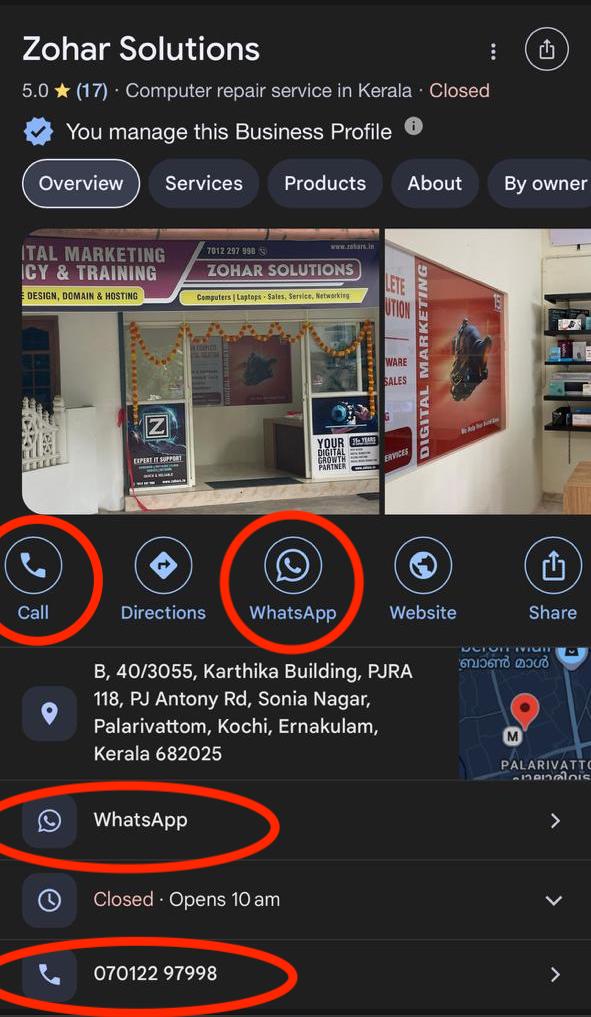
Why Google Is Strict About Phone Number Verification (Especially in India)
Many businesses create a Google Business Profile simply because others have done so, or because they want their business to appear on Google. But in India especially, Google follows a very strict and cautious phone number verification process.
Google’s Focus on Accuracy and Spam Prevention
If:
- The phone number is not clearly related to the business, or
- You cannot submit valid supporting documents
then Google may reject or delay verification.
The core reason is simple:
Google wants users to receive accurate, spam-free, and trustworthy information.
Phone Number Verification Challenges in India
But in India especially, Google follows a very strict and cautious phone number verification process.
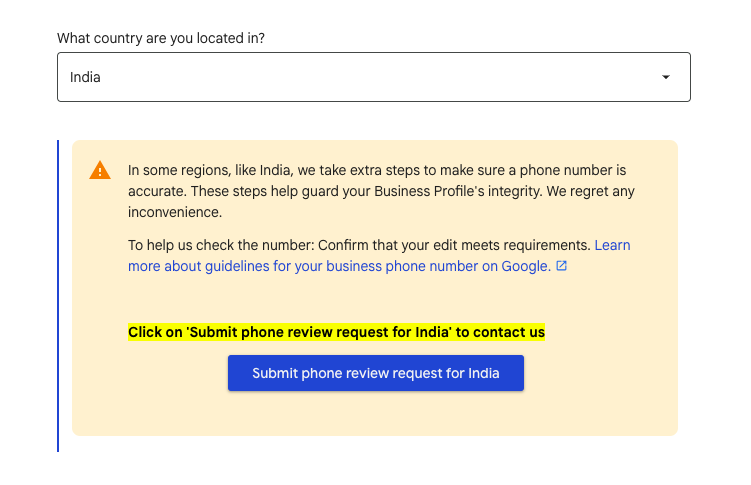
Google Business Profile Must Be Continuously Updated
Creating a Google Business Profile is not a one-time task.
It must be regularly updated and maintained.
However, many business owners:
- Create the profile
- Ignore phone number verification
- Do not treat it as a priority
This significantly reduces the profile’s effectiveness.
In reality, Google Local Business is one of the strongest lead generation machines—especially for new and growing businesses. It’s not just a navigation tool; it’s a business growth platform.
Google Business Profile Phone Number Verification Status Explained
For many users, Google Business Profile phone number verification becomes a confusing and frustrating experience.
Verification Completed Within 10 Minutes
Clear official guidelines from Google are limited, and verification outcomes can vary from case to case.
When you try to add a mobile number, it may not update immediately. Instead, it often shows “Verification Pending.”
Typically, you may see three verification stages:
Verification completed within 10 minutes
Verification May Take Up to 3 Days
If not approved, status changes to “Verification may take up to 3 days”
Verification May Take Up to 30 Days
If still unresolved, it changes to “Verification may take up to 30 days”
Even after 30 days, approval is not guaranteed.
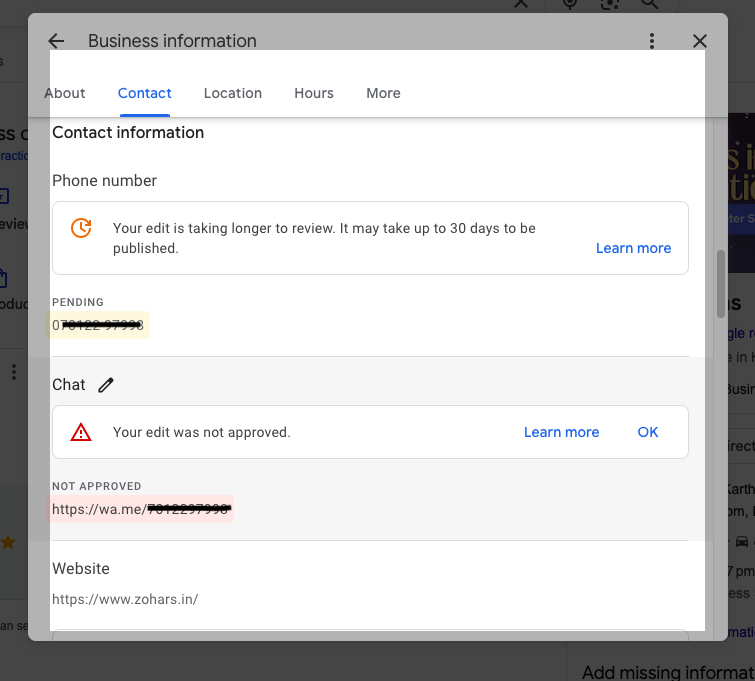
What to Do When Your Google Business Profile Phone Number Is Rejected
If your number is still not verified, the next steps become crucial.
How to Check Edit Status in Google Business Profile
You’ll notice a “Learn More” button. Clicking this will take you to a Google guideline page where you’ll find “Check Your Edit Status.”
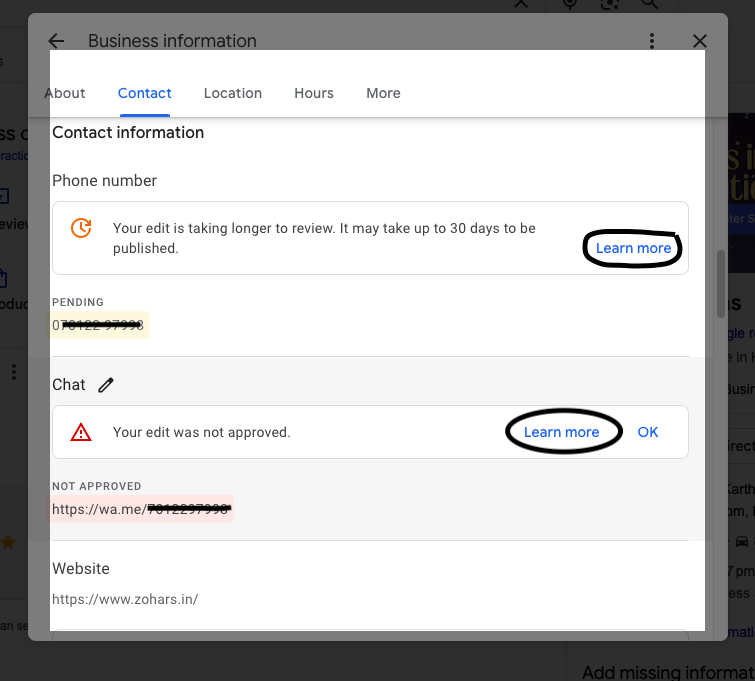
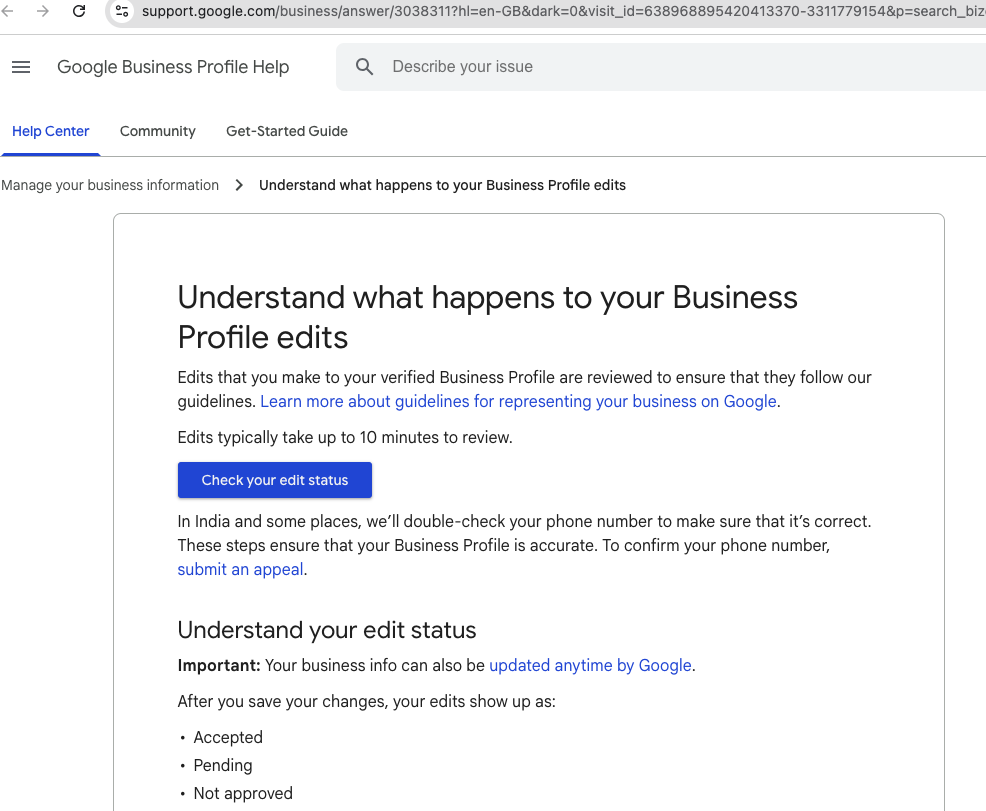
How to Check Edit Status in Google Business Profile
If the status shows “Rejected / Not Approved” you’ll see an option to “Submit an Appeal.”
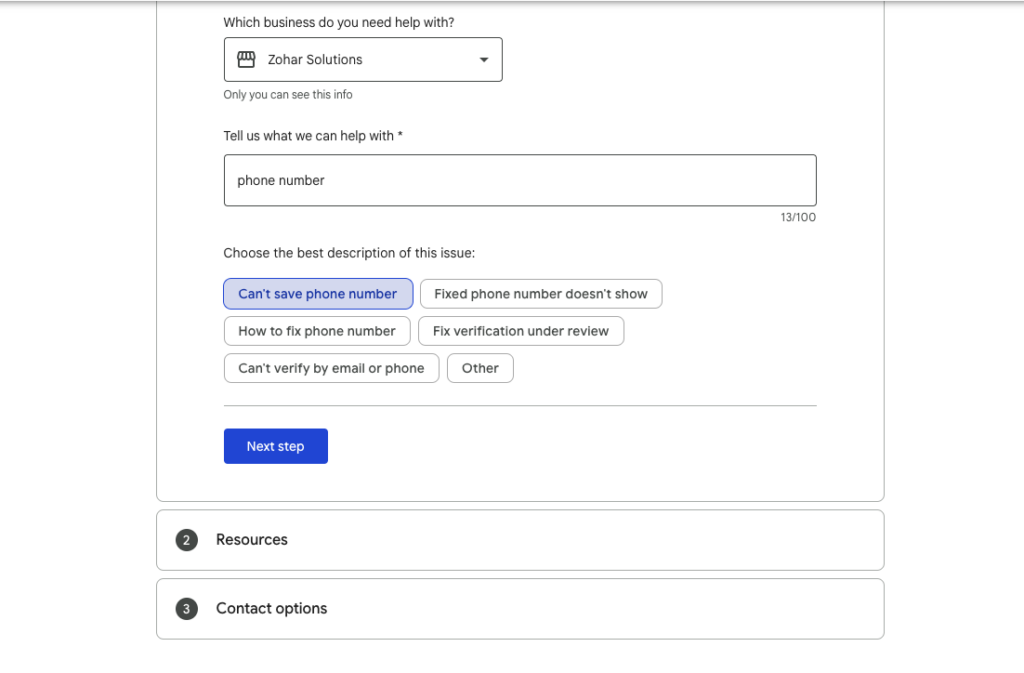
When and How to Submit an Appeal
Before submitting an appeal, make sure you have supporting documents, such as:
Documents Required for Google Business Profile Phone Number Verification
GST and Business Registration Certificates
GST certificate
Business registration license
Utility Bills Accepted by Google
Electricity, telephone, postpaid mobile, gas, or water bills
If any of these documents clearly show both your business name and phone number, they can be used for verification.
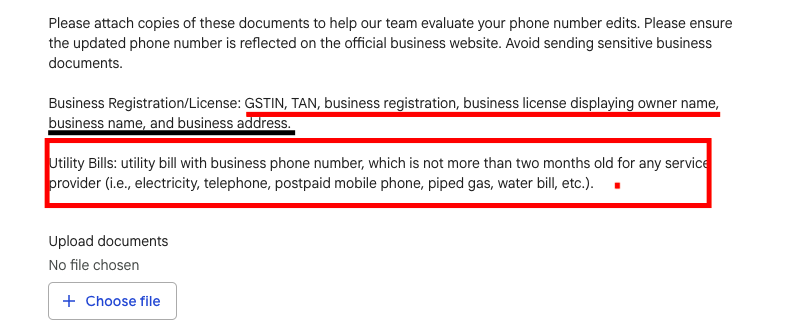
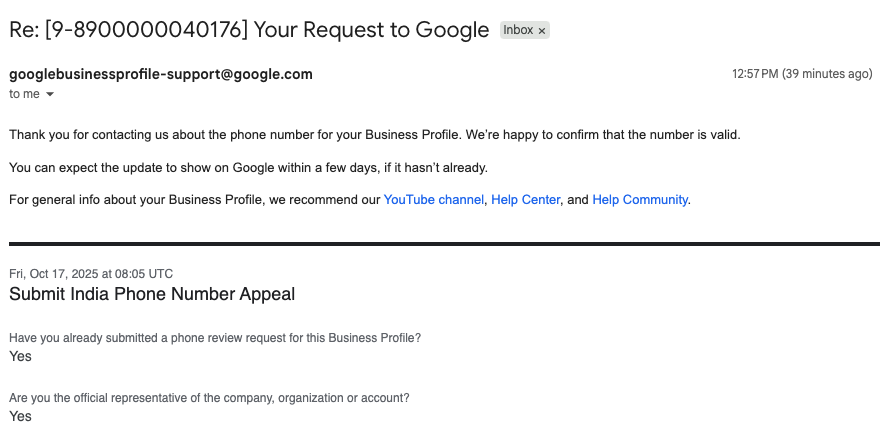
How to Submit a Google Business Profile Appeal (Correctly)
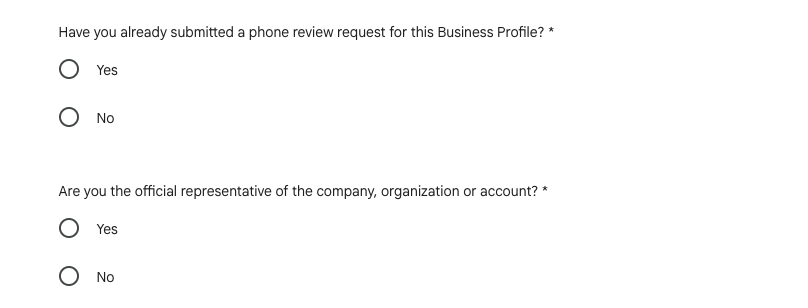
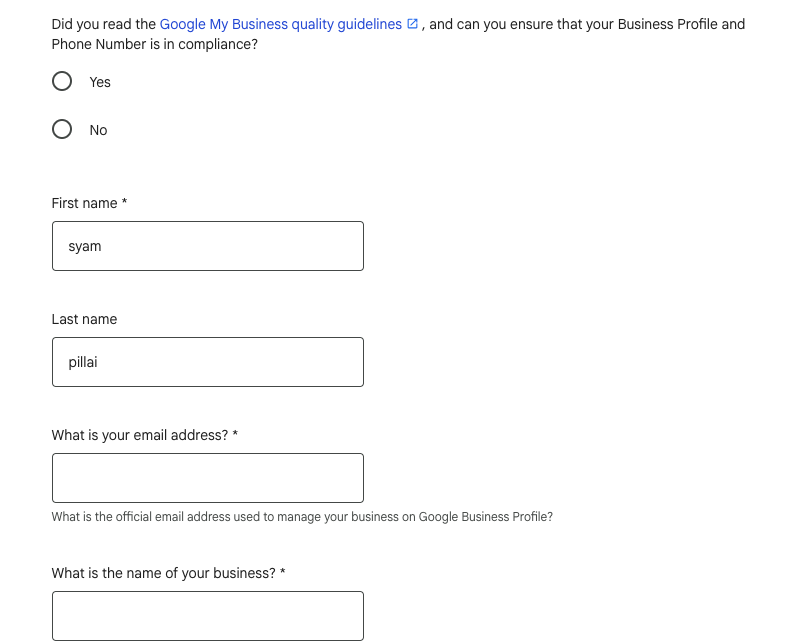
On the appeal page, Google will ask:
- Have you submitted edits before?
- Are you an official representative of the business?
- Have you read Google’s Business Listing Guidelines?
Select “Yes” and proceed.
You’ll then be required to provide:
- Your name
- Email address
- Business website
- Business Profile URL
- The phone number to be verified
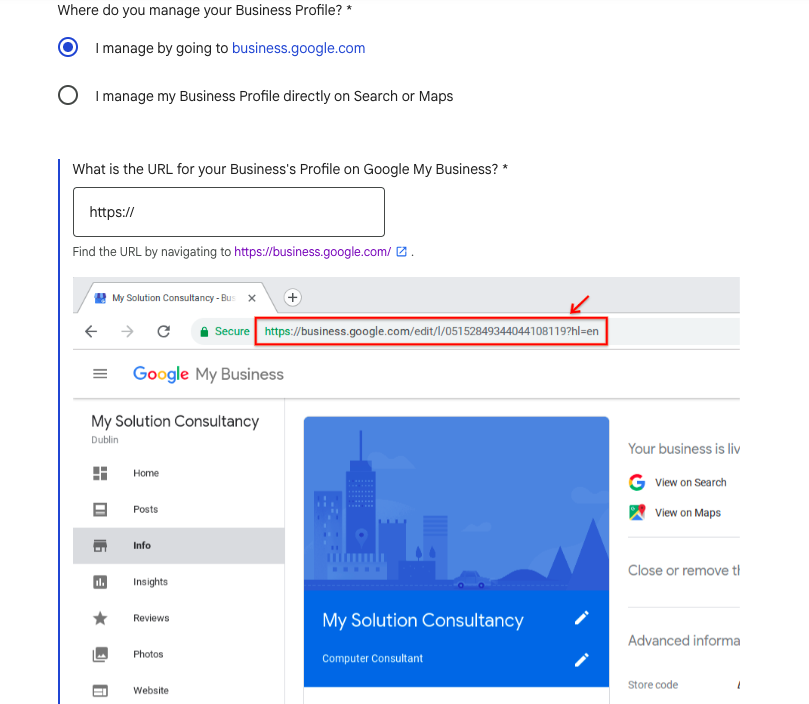

Upload your supporting documents.
If the documents clearly match your business name and phone number, verification usually completes within 5–7 working days—though approval is still not guaranteed.
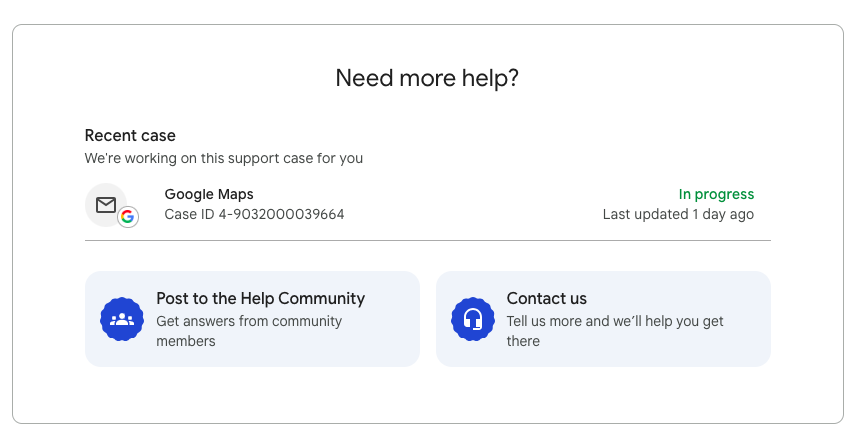
How to Verify Your Phone Number Without Business Documents
If you don’t have GST, licenses, or utility bills, there is another effective approach.
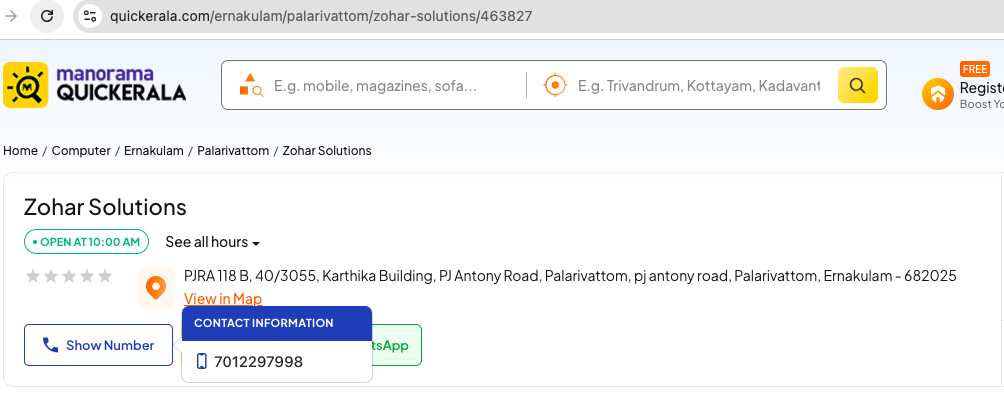
List your business on trusted classified platforms, such as:
Justdial (This is India Specific example, choose your country specific)
IndiaMART (This is India Specific example, choose your country specific)
Sulekha (This is India Specific example, choose your country specific)
Quick Kerala (This is kerala specific example, choose your regional one)
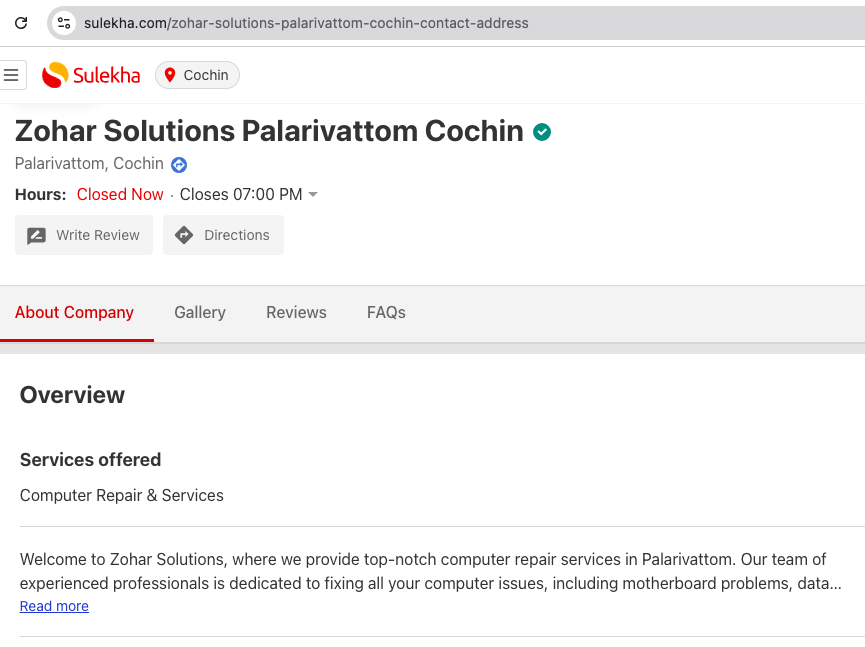
Why Consistent Online Business Information Matters
Once your business name and phone number are visible and approved on these platforms, they act as trusted data sources. This significantly improves the chances of Google accepting your phone number.
Best practice:
Before creating a Google Business Profile, first ensure that your phone number is:
Publicly visible
Listed on these platforms
Approved
Website & Domain-Based Verification (Highly Effective)
Another critical factor is your website and domain ownership.
You should have:
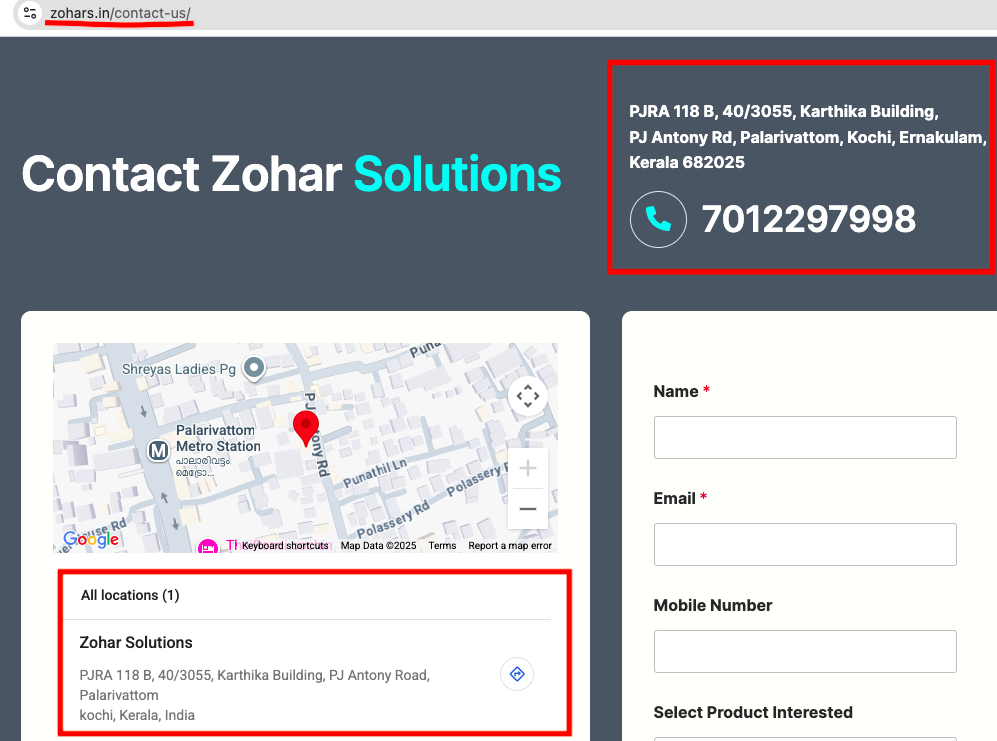
Contact details (business name, phone number, address) clearly displayed
A registered domain name
A fully functional website
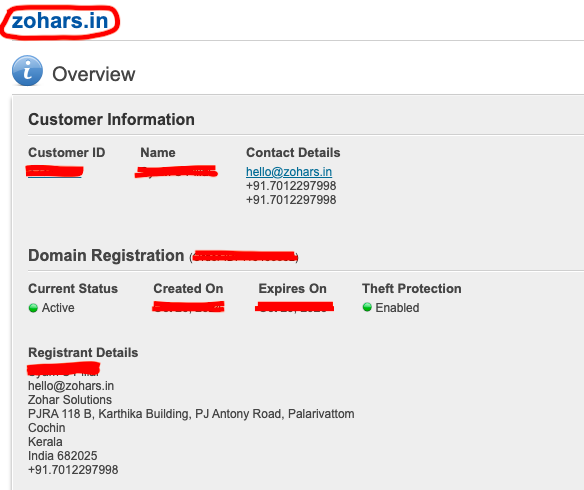
Using Domain Registration Details as Proof
Your domain registration details should include:
- Your name
- Business name
- Phone number
- Address
You can request a screenshot of domain registration details from your domain provider and use it during the appeal process.
Website Contact Page Screenshots for Appeal
Even without licenses or bills, domain ownership proof + contact page screenshots can be sufficient for phone number verification.
Final Tips to Successfully Verify Your Google Business Profile Phone Number
Your website must be:
Consistent across all platforms
Be registered in your name
Display the same phone number you want to verify
Using these methods, you can successfully complete Google Business Profile mobile number verification even without traditional documents.
Further articles will cover:
- How to create a Google Business Profile correctly
- How to manage it effectively
- How to generate consistent business leads using GBP
If you face any Google Business Profile verification issues, feel free to contact us for assistance.
About Kerala Digital Marketing Agency
Kerala Digital Marketing Agency helps local businesses get discovered on Google and generate consistent, high-quality leads through Google Business Profile optimization, local SEO, and result-driven digital marketing strategies.
We believe Google Business Profile is the most powerful marketing asset for any local business. When optimized correctly, it becomes a continuous lead generation engine—not just a map listing.
Our Philosophy
- Google Business Profile is your most important marketing tool
- Local businesses deserve local expertise
- Results matter more than activity
- Transparency and simplicity always
Led by Syam S Pillai, a digital marketing consultant with 15+ years of hands-on experience, we have optimized 100+ Google Business Profiles and helped businesses dominate local search results across Kochi, Kerala, and beyond.
Our approach focuses on real-world verification challenges, local ranking signals, and long-term visibility, not shortcuts or temporary tactics.